How to Live Listen and Whisper in Onyx
Last updated: January 5, 2026
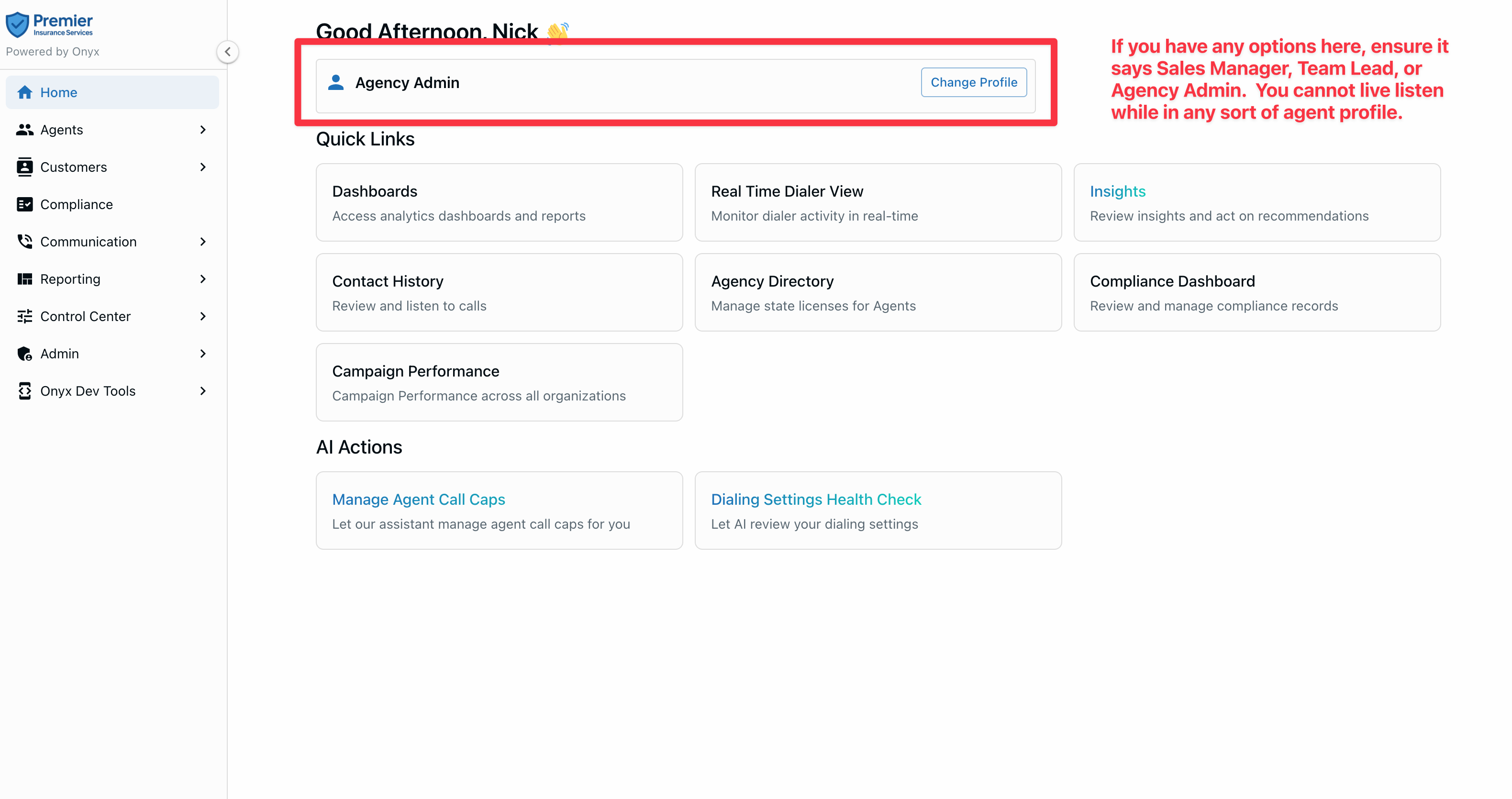
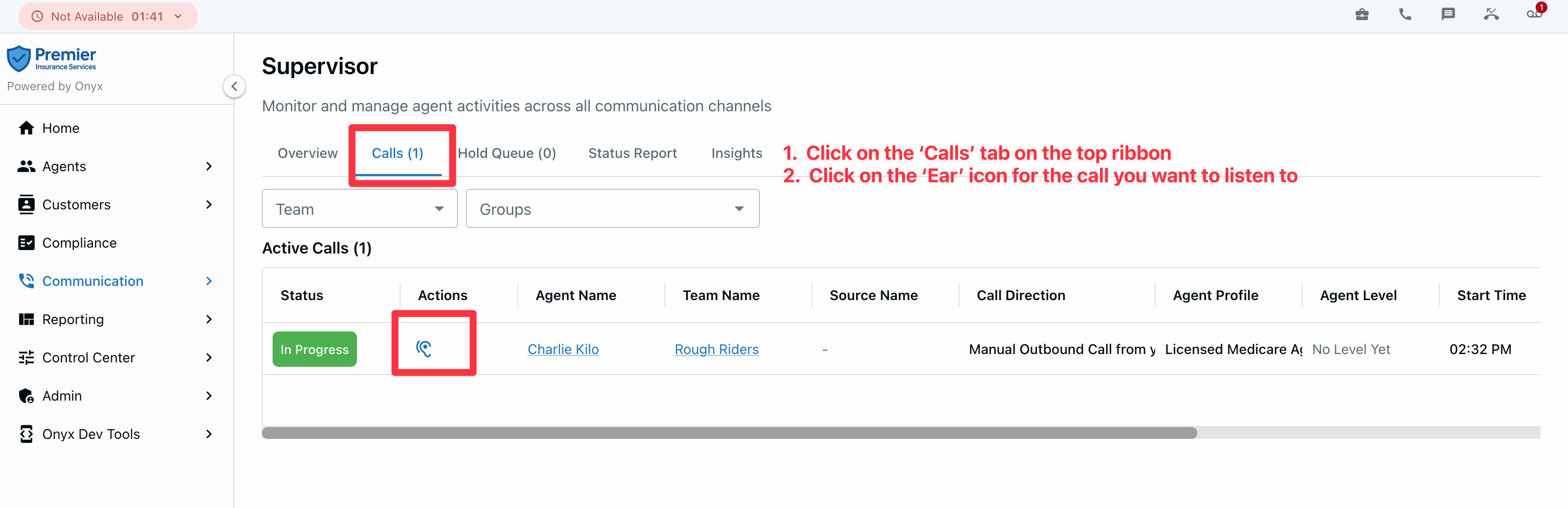
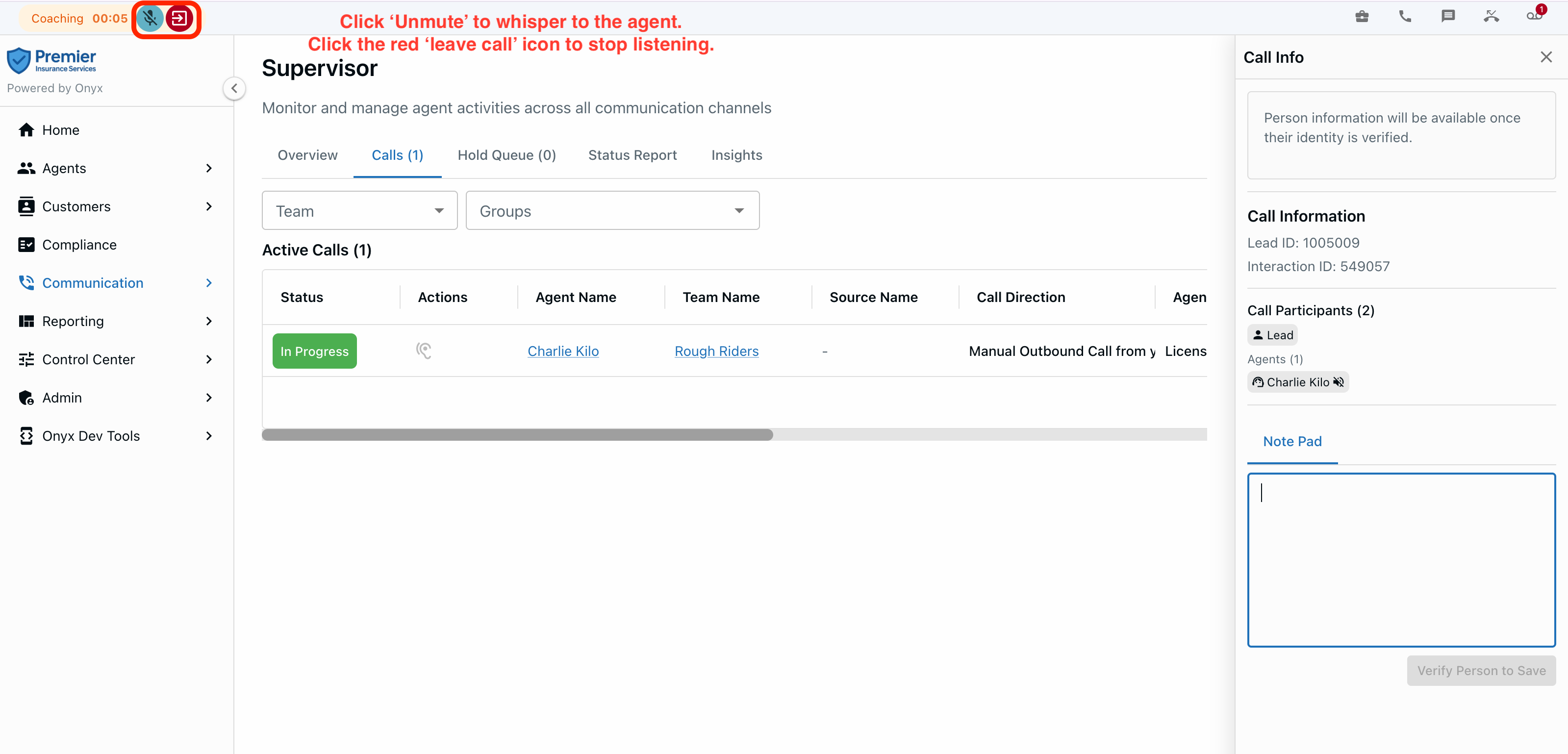
If you unmute and whisper to an agent, the customer will NOT hear it, only the agent.
When you leave the call, both the agent and customer will continue (you leaving the call does NOT hangup the call).
Common problems:
You need to ensure you have mic / headset permissions configured correctly. If you do not, then Onyx may prevent you from listening to calls. This would show up as all of the ear-shaped 'listen' icons as gray, and you likely would have a red mic icon in the top left indicating the browser does not have microphone permissions.